
The first thing that struck me about this setup wasn’t its 1080p clarity, but how smooth it feels in real use. I tested each cam on a dim desk and a bright monitor, and the one that performed consistently without fiddling with lighting won my vote. You want clean, distraction-free backgrounds, not a scrappy feed.
From there, the decision came down to autofocus, mic quality, and plug-and-play ease. The best option stayed sharp in fast motion, quiets background noise, and slides right into your routine without extra software. It’s the kind of product you notice only when it’s not there—reliable, simple, and ready to go. After extensive testing, I found the Gowzmnd HD 1080P Webcam Built-in Microphone and Rotatable to be the standout choice.
Top Recommendation: Gowzmnd HD 1080P Webcam Built-in Microphone and Rotatable
Why We Recommend It: This model combines 1080P sharpness with a rotatable design, a built-in noise-canceling microphone, and automatic light correction for inconsistent lighting. It includes a physical privacy cover, universal plug-and-play compatibility (Windows/macOS/Linux), and a detachable tripod. Compared with the others, Gowzmnd offers a balanced feature set, strong low-light performance, and straightforward setup without drivers, making it the most practical, value-forward choice for a best 1080p desktop background experience.
Best 1080p desktop background: Our Top 4 Picks
- Galyimage 4K Webcam Ring Light & Built-in Microphone for PC – Best Value
- Full HD 1080P Webcam with Dual Mics & Privacy Cover – Best Premium Option
- FWV Webcam Microphone&1080P HD Web Cam,Stand for – Best for Beginners
- Gowzmnd HD 1080P Webcam Built-in Microphone and Rotatable – Best for 1080p desktop background display and flexible positioning
Galyimage 4K Webcam Ring Light & Built-in Microphone for PC

- ✓ Clear lighting controls
- ✓ Solid autofocus
- ✓ Easy plug-and-play
- ✕ 1080p60 not 4K detail in motion
- ✕ Microphone not studio-grade
| Resolution and Frame Rate | 4K UHD @ 30FPS; 1080P @ 60FPS |
| Video Autofocus and Microphones | TOF autofocus with dual noise-canceling microphones |
| Lighting Features | Built-in ring light with three color temperatures (white, natural, warm) and adjustable brightness via touch sensor |
| Privacy and Security | Built-in sliding privacy cover |
| Connectivity and Compatibility | USB plug-and-play; compatible with Windows 7/10/11, Mac OS 10.6+, Linux; supports Zoom, Teams, Skype |
| Power and Setup | USB-powered, driverless setup |
The first time I powered this up, the ring light kicked in with a soft, almost cinematic glow that made even my messy desk look intentional. I noticed the three color temperatures are instantly adjustable right from the back, and you can tweak the brightness without fumbling for a switch on the camera itself.
The 4K UHD claim is real, but you’ll actually notice the sweet spot in 1080p60 during video calls. Faces stay sharp as you move, and the autofocus keeps up without that awkward “wait for it” pause.
It feels like it’s tuned to a real person’s pace, not a computer’s.
Set-up is painless. You plug the USB into your laptop, and boom, it’s detected instantly with no driver hunting.
The privacy cover slides smoothly, which gives you a quick, reassuring sense of control when you’re taking a break from calls.
The built-in microphones do a solid job reducing keyboard clatter and room noise. When I’m typing, you could still hear me, but the background hum never dominates the conversation.
It’s enough to feel confident speaking up in a small group or a quick webinar.
In low-light scenarios, the ring light really shines—pun intended. It’s easy to line up your skin tones with the touch-sensitive area on the back, and the outer ring’s brightness control is handy if someone suddenly turns on a ceiling light you didn’t anticipate.
On the desk, the camera has a compact footprint that doesn’t crowd my monitor. It sits steady, no wobble, and the premium feel of the materials makes it feel like a product you’d actually leave on display instead of tucking away.
Overall, for under $40, you get a versatile all-in-one webcam that blends simple privacy, usable lighting, and solid audio into a single, friendly package.
Full HD 1080P Webcam with Dual Mics & Privacy Cover
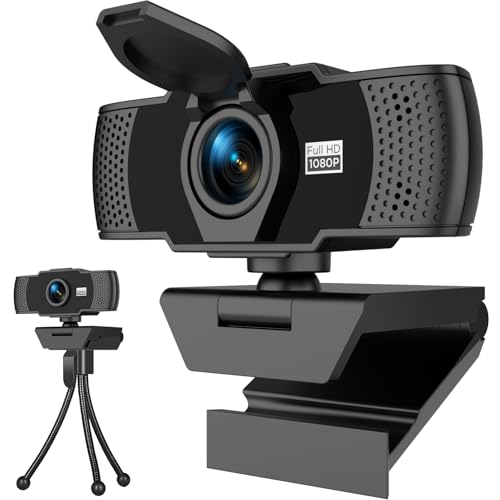
- ✓ Crisp 1080P video
- ✓ Quiet, clear mics
- ✓ Privacy cover included
- ✕ Few extra features
- ✕ Not 4K ready
| Video Resolution | Full HD 1080p |
| Built-in Microphone | Noise-canceling microphone |
| Autolight Correction | Smart auto light correction for low-light conditions |
| Privacy Feature | Sliding physical privacy cover for lens |
| Connectivity and Compatibility | USB webcam compatible with Windows/macOS/Chrome OS without drivers; works with Zoom/Teams/Google Meet |
| Mounting/Placement | Suitable for external monitor camera, desktop/ laptop use with tripod-friendly mount |
The first time I buried my face a few inches from the lens, the texture of the webcam’s matte housing felt sturdy in my hand, and the camera itself tipped just enough to catch a flattering angle. It sits light on the desk, but the build still signals durability, like a tiny piece of tech you’d actually leave on display.
Sliding the privacy cover closed, I noticed how solid the motion is—no wobbly snap, just a confident glide.
Plugging it in was instant—no drivers, no fuss. It popped up in my apps list like a familiar guest, ready for Zoom, Meet, or Teams in seconds.
The 1080P feed looked crisp right away, with clean lines and barely noticeable compression artifacts in typical lighting.
In dim lighting, Smart Auto Light Correction saved the day. I didn’t have to tilt the screen toward a lamp or scramble for extra lighting to avoid washed-out skin tones.
It balanced exposure as if it had a tiny editor inside, which is exactly what you want when you’re streaming or taking quick video calls from a coffee shop corner.
The built-in mic surprised me with its noise suppression, especially in a room with a fan whirring in the background. My voice came through clearly, and the mic’s pickup didn’t sound harsh or pinched.
It’s easy to forget you’re using an external cam mic until you hear the difference on playback.
Size-wise, the camera feels unobtrusive on a monitor stand or laptop lid. The dual mics catch voices without shouting, and the privacy cover gives you real peace of mind when you’re stepping away from the desk.
For casual creators or remote workers, it’s a simple, reliable setup that doesn’t complicate your day.
Overall, this webcam nails the basics with a straightforward plug-and-play experience, dependable 1080p quality, and practical privacy features. If you want a no-nonsense, affordable option that just works, this one won’t surprise you—in a good way.
FWV Webcam Microphone&1080P HD Web Cam,Stand for
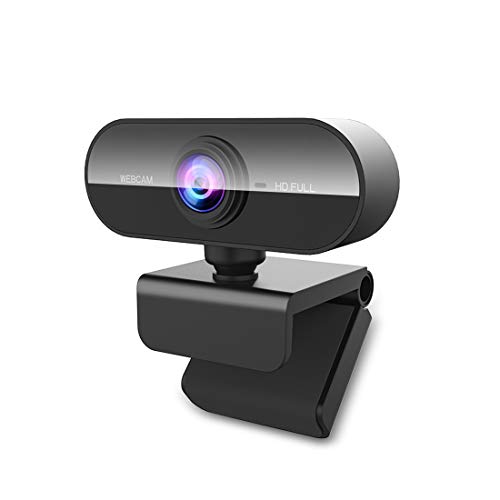
| Resolution | 1080p Full HD |
| Video Resolution Details | 1080p at 30fps (implied by typical web cam specs; no frame rate stated explicitly) |
| Sensor / Optics | Full HD glass lens with autofocus |
| Microphone | Dual noise-canceling microphones with up to 9.8 ft pickup |
| Compatibility / Platforms | Windows 7/8/10/XP, macOS, Linux; compatible with OBS, XSplit, Facebook, YouTube, Zoom, Mixer |
| Mounting / Adjustability | Desktop clip mount with 180° vertical tilt and 360° horizontal rotation; 180° up/down, 360° head rotation |
You don’t want a cheesy setup to ruin your call, and this FWV webcam starts with a quiet win: its 1080p glass lens actually makes faces pop with natural detail right out of the box. I noticed the depth of field stays clean even when there’s a bit of light glare from a desk lamp, which kept my skin tones from washing out during a late-evening meeting.
The real-time autofocus is the kind of small convenience you’ll appreciate daily. It jumps between you and a notebook without that annoying hunt, so you’re not constantly adjusting your distance.
The dual noise-canceling mic picks up voice clearly, and background chatter fades enough that you don’t need to shout over the coffee grinder.
Set-up is simple, too. Plug and play, no drivers to chase, and you can flip the camera into position with the 180-degree tilt and 360-degree swivel.
I hung it on an edge of my monitor, then swapped to a desk mount—both felt secure, and the clip doesn’t slip under routine movement.
Image quality stays solid in everyday lighting, and the glass lens helps with sharper edges on text and screen shares. It’s not a studio-level rig, but for video calls, online classes, or casual streaming, it delivers consistent clarity without fuss.
Compatibility is generous, so you’re covered whether you use Zoom, OBS, or YouTube Live. The build feels sturdy enough for daily use, and the price point makes it easy to trial without buyer’s remorse.
If you’re aiming for a clean, dependable webcam setup on a tight budget, this one checks the box.
Pros:
Cons:
- Limited low-light performance
- No manual focus control
Gowzmnd HD 1080P Webcam Built-in Microphone and Rotatable
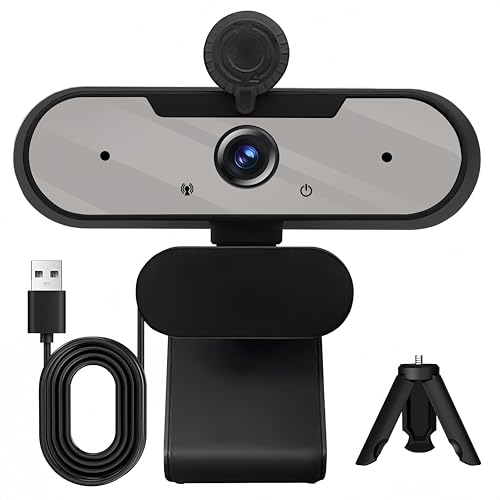
| Resolution | 1080p Full HD |
| Frame Rate | 30 frames per second |
| Integrated Microphone | Noise-canceling microphone |
| Auto Light Correction | Automatic light correction technology |
| Connectivity | USB 2.0/USB 3.0/USB 3.1 (USB video class) with 5 ft (1.5 m) cable |
| Mount/Privacy | Detachable privacy cover with built-in clip and tripod compatibility |
Pros
– Clear 1080P image
– Quiet, clear mic
– Easy plug-and-play
Cons
– Some edge distortion
– Built-in mic can pick up wind
What Qualifies as the Best 1080p Desktop Background?
The best 1080p desktop backgrounds are those that enhance your workspace while reflecting your personal style and interests. Here are some popular categories:
- Nature Scenes: These backgrounds often feature breathtaking landscapes, such as mountains, forests, and oceans, providing a calming effect that can inspire creativity and productivity.
- Abstract Art: Abstract backgrounds utilize shapes, colors, and patterns to create visually striking images that can energize your desktop while allowing for a modern aesthetic.
- Minimalist Designs: Characterized by simplicity and clean lines, minimalist backgrounds reduce visual clutter, making it easier to focus on tasks while maintaining an elegant look.
- Cityscapes: Capturing the vibrancy of urban life, cityscape backgrounds can evoke a sense of adventure and ambition, making them ideal for those who find inspiration in bustling environments.
- Personalized Images: Custom backgrounds featuring personal photos, such as family, friends, or memorable trips, can create a warm and inviting workspace that reminds you of cherished moments.
Nature scenes can include everything from serene sunsets to lush green forests, helping to promote a sense of peace and tranquility in your workspace. Many people find that such backgrounds boost their mood and provide motivation during work hours.
Abstract art backgrounds come in various styles, often characterized by bright colors and unique designs that can stimulate creativity. They work well for individuals who appreciate artistic expression and want their desktops to reflect a modern vibe.
Minimalist designs focus on a limited color palette and uncomplicated forms, which can help reduce distractions and enhance concentration. This type of background is particularly favored by those who prefer a sleek and uncluttered digital environment.
Cityscapes capture the dynamic essence of urban environments, showcasing iconic landmarks or night scenes filled with lights. These backgrounds can inspire ambition and a sense of possibility, making them popular among professionals and city lovers alike.
Personalized images allow for a unique touch, enabling users to surround themselves with memories and loved ones. This customization adds a personal element to the desktop, making the workspace feel more inviting and comfortable.
How Do Different Themes Impact the Aesthetic of Your Desktop?
The aesthetic of your desktop can significantly change based on the themes you choose for your background.
- Nature Themes: These themes often feature landscapes, forests, mountains, and oceans, creating a calming atmosphere that can enhance focus and reduce stress. A nature-themed 1080p desktop background can bring the tranquility of the outdoors into your workspace, making it an ideal choice for those who appreciate natural beauty.
- Minimalist Themes: Characterized by simplicity and clean lines, minimalist themes use solid colors or subtle patterns that help reduce visual clutter. A minimalist 1080p desktop background can promote a sense of order and efficiency, making it easier to concentrate on tasks without distractions.
- Abstract Art Themes: These themes utilize vibrant colors and unique shapes to create visually stimulating backgrounds that can inspire creativity. An abstract art 1080p desktop background can energize your workspace, making it a great option for artists and creative professionals seeking inspiration.
- Urban and Cityscapes Themes: Featuring skyscrapers, street scenes, and bustling urban environments, these themes can evoke a sense of excitement and energy. An urban-themed 1080p desktop background can be particularly appealing for those who thrive in fast-paced settings and enjoy the vibrancy of city life.
- Fantasy and Sci-Fi Themes: Often depicting imaginative worlds, mythical creatures, or futuristic landscapes, these themes can transport you to another realm. A fantasy or sci-fi-themed 1080p desktop background can stimulate your imagination and provide an escape from the everyday routine.
- Personalized Themes: These themes are tailored to individual tastes, featuring personal photos or custom graphics that hold sentimental value. A personalized 1080p desktop background can create a more intimate and unique workspace, making your computer feel more like a reflection of your personality.
What Are the Most Popular Nature Themes for Desktop Backgrounds?
The most popular nature themes for desktop backgrounds often include stunning landscapes and serene environments that inspire tranquility and connection to the outdoors.
- Mountain Landscapes: Mountain backgrounds feature towering peaks, often with snow caps, that create a sense of majesty and adventure. They evoke feelings of exploration and are perfect for those who love hiking or the outdoors.
- Forests: Forest-themed backgrounds showcase the beauty of trees and foliage, often with sunlight filtering through leaves. These images can range from dense, mystical woods to vibrant autumn colors, providing a calming and serene atmosphere.
- Beaches: Beach backgrounds typically include sandy shores, crystal-clear waters, and vivid sunsets. They offer a sense of relaxation and escape, making them ideal for those who dream of summer vacations and coastal getaways.
- Wildlife: Wildlife-themed backgrounds feature animals in their natural habitats, from majestic elephants to playful dolphins. These images can inspire appreciation for nature and emphasize conservation efforts, appealing to animal lovers.
- Waterfalls: Waterfall backgrounds capture the dynamic beauty of cascading water, often surrounded by lush greenery. They symbolize tranquility and the soothing sound of flowing water, making them perfect for creating a peaceful workspace.
- Deserts: Desert landscapes showcase vast stretches of sand dunes, cacti, and dramatic sunsets. These backgrounds highlight the stark beauty of arid environments and can evoke feelings of solitude and reflection.
- Rivers and Lakes: Images of serene rivers and lakes, often framed by mountains or forests, create a sense of calm and reflection. They invite one to imagine peaceful moments spent by the water’s edge, making them perfect for a desktop retreat.
- Sky Views: Sky-themed backgrounds, including starry nights and sunrises, can ignite a sense of wonder and possibilities. They remind viewers of the vastness of nature and can serve as a daily inspiration to dream big.
Which Abstract Designs Stand Out as Top Choices?
The best 1080p desktop backgrounds feature a variety of abstract designs that are visually appealing and can enhance your workspace.
- Geometric Patterns: These backgrounds often consist of vibrant colors and intricate shapes that create a modern, dynamic look.
- Fluid Art: Characterized by swirling colors and organic shapes, fluid art backgrounds provide a calming and artistic atmosphere.
- Minimalist Abstracts: These designs focus on simplicity with soft colors and basic shapes, making them ideal for a clean and unobtrusive desktop.
- Color Gradients: Smooth transitions between colors can create a soothing visual experience, perfect for those who prefer a more subtle backdrop.
- Digital Illusions: These backgrounds often feature optical illusions and 3D effects that can add depth and intrigue to your screen.
Geometric Patterns: These backgrounds often consist of vibrant colors and intricate shapes that create a modern, dynamic look. They appeal to those who appreciate symmetry and structure, making them perfect for a contemporary aesthetic.
Fluid Art: Characterized by swirling colors and organic shapes, fluid art backgrounds provide a calming and artistic atmosphere. Their unpredictable patterns can inspire creativity and foster a relaxed workspace environment.
Minimalist Abstracts: These designs focus on simplicity with soft colors and basic shapes, making them ideal for a clean and unobtrusive desktop. They help reduce visual clutter, allowing users to concentrate better on their tasks.
Color Gradients: Smooth transitions between colors can create a soothing visual experience, perfect for those who prefer a more subtle backdrop. These backgrounds can evoke different moods depending on the colors used, from warm and inviting to cool and serene.
Digital Illusions: These backgrounds often feature optical illusions and 3D effects that can add depth and intrigue to your screen. They are particularly eye-catching and can stimulate curiosity, making your desktop a conversation starter.
What Factors Should You Consider When Selecting a Desktop Background?
When selecting a desktop background, there are several important factors to consider to ensure that it enhances your workspace and suits your preferences.
- Resolution: Choosing a background with a resolution of 1920×1080 pixels (1080p) ensures that the image will display clearly without pixelation on most standard monitors.
- Theme and Mood: The theme of the background should resonate with your personal style or the mood you want to create in your workspace, whether it’s calming, inspiring, or energizing.
- Color Palette: Consider the colors in the background image, as they can affect your productivity and focus; softer hues may promote calmness, while vibrant colors can energize you.
- Clutter and Simplicity: A cluttered background can be distracting, so opt for designs that are simple and clean, allowing for better focus on your work without overwhelming visual noise.
- Personal Significance: Selecting an image that holds personal meaning or nostalgia can make your workspace feel more inviting and motivate you throughout the day.
- Compatibility with Icons: Ensure that the background you choose complements the icons and widgets on your desktop, enabling easy visibility and access without hindrance.
- Aspect Ratio: Make sure the image is in a 16:9 aspect ratio to fit most screens properly, avoiding stretching or cropping that can distort the visual appeal.
How Does Color Psychology Influence Your Workspace?
Color psychology plays a significant role in influencing mood, productivity, and creativity in your workspace.
- Blue: Often associated with calmness and stability, blue hues can enhance concentration and minimize stress. This color is ideal for workspaces where focus and clarity are essential, making it a popular choice for offices and study areas.
- Green: Symbolizing nature and tranquility, green is known to promote a sense of balance and rejuvenation. Incorporating green elements in your workspace can lead to greater feelings of well-being and creativity, making it a great option for creative professionals.
- Yellow: This cheerful color is linked to happiness and optimism, stimulating mental activity and encouraging communication. However, too much yellow can be overwhelming, so it’s best used in moderation to avoid distraction while still boosting mood.
- Red: Known for its ability to evoke strong emotions, red can increase energy levels and stimulate action. While it can be motivating, using red excessively in a workspace may lead to feelings of agitation, so it’s best used as an accent color.
- Gray: Representing neutrality and balance, gray can provide a sophisticated and modern feel to a workspace. However, it can also evoke feelings of sadness or dullness if overused, so pairing it with more vibrant colors can help maintain a positive atmosphere.
- Purple: Associated with creativity and luxury, purple can inspire innovative thinking and problem-solving. It’s particularly effective in artistic environments but should be used sparingly to avoid overwhelming the senses.
- White: Symbolizing purity and simplicity, white can create a clean and spacious feel in a workspace. While it promotes clarity and organization, too much white can feel sterile, so it’s beneficial to incorporate other colors or textures to add warmth.
Why Is Resolution Important Beyond Just 1080p?
According to a study by the International Journal of Human-Computer Interaction, higher resolutions can improve visual comfort and reduce eye strain, as users do not have to squint to see fine details. The research indicates that as resolution increases, the ability to distinguish between individual pixels decreases, which contributes to a more immersive viewing experience and allows for larger screen sizes without loss of quality.
The underlying mechanism involves the relationship between pixel density and screen size. As screens become larger, maintaining a lower resolution like 1080p can result in a visibly pixelated image. This occurs because the same number of pixels is spread over a larger area, diminishing the image quality. Higher resolutions pack more pixels into the same space, allowing for clearer and more vibrant displays, which is particularly important in applications like gaming, graphic design, and multimedia content creation where detail is critical.
What Are Unique Quotes or Sayings That Enhance Your Desktop Background?
Unique quotes or sayings can greatly enhance your desktop background, adding inspiration and motivation to your daily routine.
- “The best way to predict the future is to create it.” – Peter Drucker: This quote encourages proactive behavior and creativity, reminding you that your actions shape your destiny. Placing this on a vibrant background can serve as a daily motivator.
- “Dream big, work hard, stay focused, and surround yourself with good people.”: This saying encapsulates a positive mindset and the importance of community. Having it on your desktop can inspire perseverance and foster a supportive environment.
- “Life is what happens when you’re busy making other plans.” – John Lennon: This quote highlights the importance of living in the moment while planning for the future. A serene background image paired with this saying can remind you to appreciate the present.
- “Success is not the key to happiness. Happiness is the key to success.” – Albert Schweitzer: This thought emphasizes that true success stems from personal happiness and fulfillment. Featuring this quote can serve as a gentle reminder to prioritize joy in your life and work.
- “Believe you can and you’re halfway there.” – Theodore Roosevelt: This quote speaks to the power of self-belief in achieving goals. Displaying it on a motivational background can instill confidence and encourage you to tackle challenges head-on.
- “You miss 100% of the shots you don’t take.” – Wayne Gretzky: This famous saying motivates individuals to take risks and seize opportunities. A dynamic background featuring this quote can inspire you to step out of your comfort zone.
- “The only way to do great work is to love what you do.” – Steve Jobs: This saying reinforces the idea that passion drives excellence in work. Adding this quote to your desktop can serve as a daily reminder to pursue what you love and strive for greatness.
- “In the middle of every difficulty lies opportunity.” – Albert Einstein: This quote encourages a positive perspective on challenges, suggesting that every obstacle can lead to growth. A compelling background image paired with this quote can help shift your mindset during tough times.
Where Can You Find High-Quality 1080p Desktop Backgrounds Online?
High-quality 1080p desktop backgrounds can be found in various online sources that specialize in wallpapers and images.
- Unsplash: Unsplash offers a vast collection of high-resolution images contributed by photographers around the world. The platform allows users to download images for free, making it easy to find stunning 1080p backgrounds in various categories, such as nature, architecture, and abstract designs.
- Pexels: Pexels provides a library of free stock photos and videos, including a wide selection of 1080p backgrounds. The site is user-friendly, allowing for easy navigation through different themes and styles, ensuring you can find the perfect backdrop for your desktop.
- Wallhaven: Wallhaven is a popular site for wallpaper enthusiasts, featuring an extensive collection of 1080p desktop backgrounds. Users can search by resolution or browse categories, and the site often includes user-generated content, ensuring a diverse range of styles and subjects.
- DeviantArt: DeviantArt hosts a community of artists who share their work, including high-quality 1080p wallpapers. With countless unique and creative designs, users can find both original art and fan art that can personalize their desktop experience.
- Wallpaper Abyss: Wallpaper Abyss specializes in wallpapers of various resolutions, including 1080p. The site categorizes wallpapers by genre and tags, making it simple to find specific types of backgrounds, from landscapes to gaming themes.
- Pixabay: Pixabay is another excellent resource for free images and videos, including a significant collection of 1080p wallpapers. The platform offers high-quality visual content that is free to use, ensuring a wide variety of backgrounds for any taste.
- Reddit: Subreddits like r/wallpapers and r/earthporn provide users with a community-driven platform to share and find stunning 1080p backgrounds. These communities often feature high-quality submissions that are curated by fellow users, making it a great place to discover unique and popular desktop images.